Install & Download:
# Yarn
$ yarn add vue-spinkit
# NPM
$ npm i vue-spinkit
Description:
The spinkit library provides a collection of pretty CSS based loading spinners for Vue.js applications.
How to use it:
1. Import and register the spinkit.
import Vue from 'vue'
import Spinner from 'vue-spinkit'
Vue.component('Spinner', Spinner)
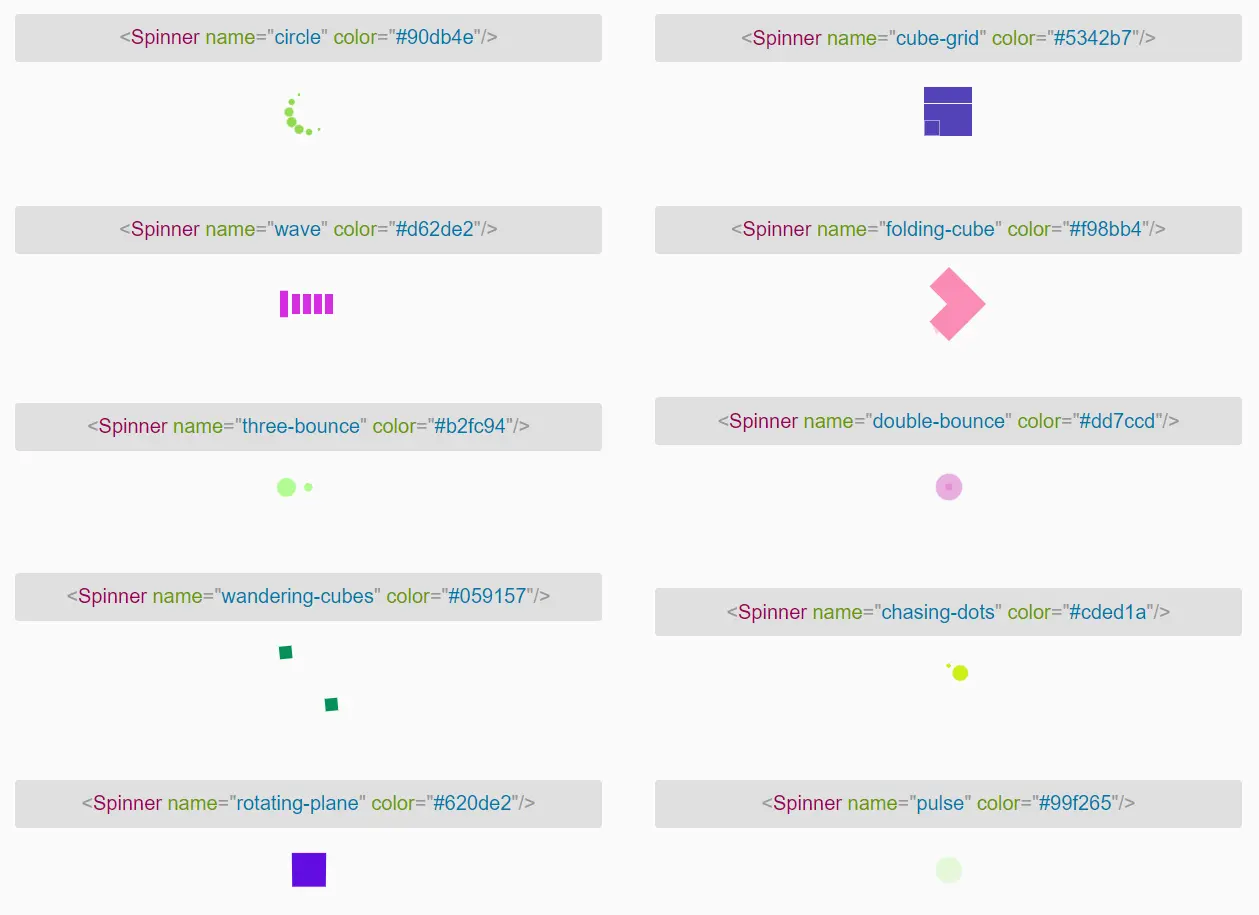
2. Add a loading spinner of your choice to the app. All possible spinner names:
- circle
- cube-grid
- wave
- folding-cube
- three-bounce
- double-bounce
- wandering-cubes
- chasing-dots
- rotating-plane
- pulse
- wordpress
- fading-circle
- square-spin
- ball-grid-beat
- ball-grid-pulse
- line-spin-fade-loader
- ball-spin-fade-loader
- ball-pulse-rise
- line-scale
- line-scale-pulse-out
- line-scale-pulse-out-rapid
- pacman
- line-scale-party
- ball-triangle-path
- ball-scale-multiple
- ball-scale-ripple-multiple
- ball-pulse-sync
- ball-pulse
- ball-beat
- ball-zig-zag
- ball-zig-zag-deflect
- ball-clip-rotate-pulse
- ball-clip-rotate-multiple
- ball-clip-rotate
- ball-scale-ripple
- triangle-skew-spin
- circle-solid-spin
- dual-ring
- heart
- ring
- roller
- ellipsis
- grid
- hourglass
- ripple
- loadbar
- hydrogen
- clock
- circle-fade
- moon
<Spinner name="circle" color="red"/>
3. Available component props.
name: {
  type: String,
  default: 'three-bounce'
},
color: {
  type: String,
  default: ''
},
noFadeIn: {
  type: Boolean,
  default: false
},
fadeIn: {
  type: String,
  default: 'full'
},
className: {
  type: String,
  default: ''
},
width: {
  type: String,
  default: ''
},
height: {
  type: String,
  default: ''
}
Preview: