Install & Download:
# Yarn
$ yarn add vue-resizer
# NPM
$ npm i vue-resizer
Description:
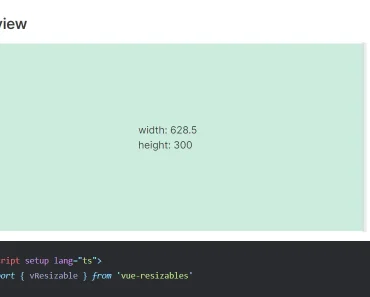
A set of elegant and touch-enabled resizer components that enable you to resize any content with mouse drag or touch gestures.
How to use it:
1. Import and register the resizer components.
import {
  DragCol,
  DragRow,
  ResizeCol,
  ResizeRow,
  Resize,
} from "vue-resizer"
2. Create a vertical resizer (splitter) using the DragCol component.
<DragCol>
  <template #left>
    Left Content
  </template>
  <template #right>
    Right Content
  </template>
</DragCol>
// Available props for the DragCol component
// width percentage of the left part
// units: %
leftPercent: {
type: Number,
default: 50,
},
// width of the slider
// units: px
sliderWidth: {
type: Number,
default: 20,
},
// width of the container
// units: any
width: {
type: String,
default: "400px",
},
// height of the container
// units: any
height: {
type: String,
default: "400px",
},
// color of the slider
sliderColor: {
type: String,
default: "#6f808d",
},
// bg color of the slider
sliderBgColor: {
type: String,
default: "#1f2e3a",
},
// color of the slider on hover
sliderHoverColor: {
type: String,
default: "#6f808d",
},
// bg color of the slider on hover
sliderBgHoverColor: {
type: String,
default: "#16222a",
}3. Create a horizontal resizer (splitter) using the DragRow component.
<DragRow>
  <template #top>
    Top Content
  </template>
  <template #bottom>
    Bottom Content
  </template>
</DragRow>
// Available props for the DragRow component
// height percentage of the top part
// units: %
topPercent: {
type: Number,
default: 50,
},
// width of the slider
// units: px
sliderWidth: {
type: Number,
default: 20,
},
// width of the container
// units: any
width: {
type: String,
default: "400px",
},
// height of the container
// units: any
height: {
type: String,
default: "400px",
},
// color of the slider
sliderColor: {
type: String,
default: "#6f808d",
},
// bg color of the slider
sliderBgColor: {
type: String,
default: "#1f2e3a",
},
// color of the slider on hover
sliderHoverColor: {
type: String,
default: "#6f808d",
},
// bg color of the slider on hover
sliderBgHoverColor: {
type: String,
default: "#16222a",
}4. Create a simple vertical resizer that will be placed on the right side of the content.
<ResizeCol>
  Your Content
</ResizeCol>
// Available props for the ResizeCol component
// width of the slider
// units: px
sliderWidth: {
  type: Number,
  default: 20,
},
// width of the container
// units: px
width: {
  type: Number,
  default: 400,
},
// height of the container
// units: any
height: {
  type: String,
  default: "400px",
},
// color of the slider
sliderColor: {
  type: String,
  default: "#6f808d",
},
// bg color of the slider
sliderBgColor: {
  type: String,
  default: "#1f2e3a",
},
// color of the slider on hover
sliderHoverColor: {
  type: String,
  default: "#6f808d",
},
// bg color of the slider on hover
sliderBgHoverColor: {
  type: String,
  default: "#16222a",
}
5. Create a simple vertical resizer that will be placed at the bottom of the content.
<ResizeRow>
  Your Content
</ResizeRow>
// Available props for the ResizeRow component
// width of the slider
// units: px
sliderWidth: {
  type: Number,
  default: 20,
},
// height of the container
// units: px
height: {
  type: Number,
  default: 400,
},
// width of the container
// units: any
width: {
  type: String,
  default: "400px",
},
// color of the slider
sliderColor: {
  type: String,
  default: "#6f808d",
},
// bg color of the slider
sliderBgColor: {
  type: String,
  default: "#1f2e3a",
},
// color of the slider on hover
sliderHoverColor: {
  type: String,
  default: "#6f808d",
},
// bg color of the slider on hover
sliderBgHoverColor: {
  type: String,
  default: "#16222a",
}
6. Add resizers to both sides:
<Resize>
  Your Content
</Resize>
// Available props for the ResizeRow component
// width of the slider
// units: px
sliderWidth: {
  type: Number,
  default: 20,
},
// height of the container
// units: px
height: {
  type: Number,
  default: 400,
},
// width of the container
// units: px
width: {
  type: Number,
  default: 400,
},
// color of the slider
sliderColor: {
  type: String,
  default: "#6f808d",
},
// bg color of the slider
sliderBgColor: {
  type: String,
  default: "#1f2e3a",
},
// color of the slider on hover
sliderHoverColor: {
  type: String,
  default: "#6f808d",
},
// bg color of the slider on hover
sliderBgHoverColor: {
  type: String,
  default: "#16222a",
}
7. It also supports nesting resizers.
<Resize>
  <DragRow height="100%" width="100%">
    <template #top>
      <DragCol height="100%" width="100%" :leftPercent="30">
        <template #left>
          Left Content
        </template>
        <template #right>
          Right Content
        </template>
      </DragCol>
    </template>
    <template #bottom>
      <DragCol height="100%" width="100%" :leftPercent="70">
        <template #left>
          Left Content
        </template>
        <template #right>
          Right Content
        </template>
      </DragCol>
    </template>
  </DragRow>
</Resize>
8. Events.
- @isDragging
- @dragging
- @isDraggingRow
- @isDraggingCol
- @draggingRow
- @draggingCol
Preview: