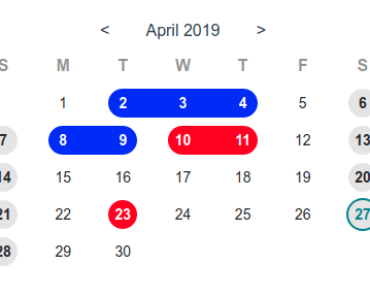
Install & Download:
# NPM
$ npm i mpvue-calendar
Description:
mpvue-calendar is a touch-enabled date & week picker component for Vue 3 applications.
More Features:
- Supports single date, date range, and week range.
- Multiple languages.
- Allows to set custom holidays.
- Allows to set start/end dates.
- Allows to disable dates.
- Custom date format.
How to use it:
1. Import and register the component.
import { ref } from 'vue'
import Calendar from 'mpvue-calendar'
export default {
  components: {
    Calendar,
  }
}
2. Add the calendar to the app.
<Calendar
  :remarks="remarks"
/>
export default {
  components: {
    Calendar,
  },
  setup() {
    const remarks = ref({'2021-2-26': 'Any Text'})
    return {
      remarks,
    }
  }
}
3. Full component props.
format: { // (year, month) => [String, String]
  type: Function,
},
holidays: {
  type: Object,
  default() {
    return {};
  }
},
lunar: {
  type: Object,
},
remarks: {
  type: Object,
  default() {
    return {};
  }
},
monthRange: {
  type: Array,
},
tileContent: {
  type: Object,
  default() {
    return {};
  }
},
completion: {
  type: Boolean,
  default: false
},
useSwipe: {
  type: Boolean,
  default: true
},
backgroundText: {
  type: Boolean,
},
monFirst: {
  type: Boolean,
  default: false
},
className: {
  type: String,
},
mode: { // 'month', 'week','monthRange'
  type: String,
  default: 'month'
},
weeks: {
  type: Array,
  default: undefined
},
begin: {
  type: String,
},
end: {
  type: String,
},
selectMode: { // 'select', 'multi','range', 'multiRange'
  type: String,
  default: 'select'
},
language: {
  type: String,
},
selectDate: {
  type: [String, Array, Object],
},
disabled: {
  type: Object,
},
Preview:

Changelog:
v3.0.1 (09/12/2021)
- fix(calendar): the callback not work when the month slide change