What Is Data Table?
A data table component provides an easy and convenient solution for representing and manipulating tabular data on the web application.
Users are allowed to filter, format, paginate, edit, sort, add, and remove their data in a flexible, powerful way.
The Best Data Table Components
In this blog post, you will find the 7 best Vue.js datatable components to help developers handle large amounts of tabular data on data-driven app projects. I hope you like it.
Originally published Oct 14 2019, updated Dec 10, 2025
1. TanStack Table
Headless UI for building powerful tables & datagrids for React, Solid, Vue, Svelte, Qwik and TS/JS.
Features:
- Lightweight (10 – 15kb)
- Tree-Shaking
- Headless
- Cell Formatters
- Auto-managed internal state
- Opt-in fully controlled state
- Sorting
- Multi Sort
- Global Filters
- Columns Filters
- Pagination
- Row Grouping
- Aggregation
- Row Selection
- Row Expansion
- Column Ordering
- Column Visibility
- Column Resizing
- Virtualizable
- Server-side/external Data
- Nested/Grouped Headers
- Footers
2. Handsontable (Vue)
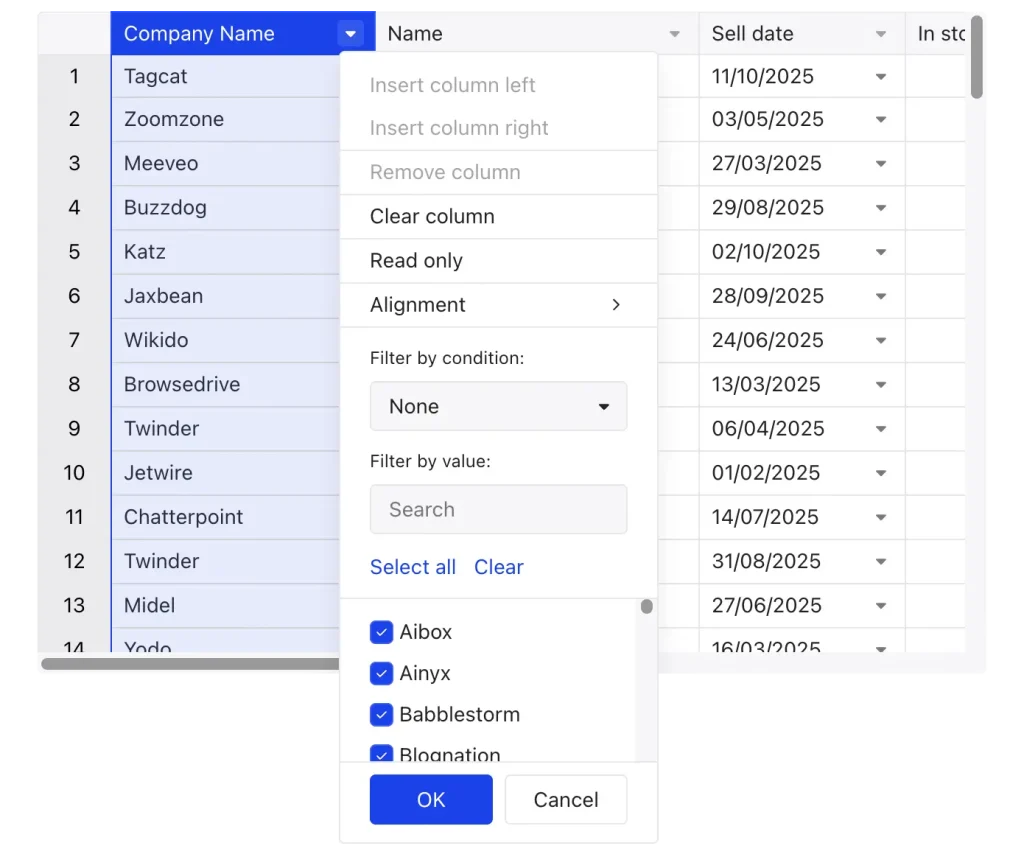
Handsontable, from a Vue.js perspective, is a powerful JavaScript data grid component that integrates within Vue.js applications to provide spreadsheet-like functionality.
It allows developers to embed interactive and highly customizable data tables that offer a user experience similar to Excel or Google Sheets, directly within their Vue.js interfaces.
Features:
- Official Vue Wrapper: Handsontable provides an official wrapper specifically designed for Vue.js, making integration straightforward. This wrapper allows you to use Handsontable as a Vue component, leveraging Vue’s reactivity system for data binding and updates.
- Component-Based Integration: You can incorporate Handsontable into your Vue components using the
<hot-table>tag, passing data and configuration options as props. This aligns with Vue’s component-based architecture and promotes modularity. - Data Binding: Handsontable can be easily bound to your Vue component’s data, allowing for two-way data binding. Changes in the table can update your Vue data, and changes in your Vue data can be reflected in the table.
- Customization and Features: All of Handsontable’s extensive features, such as cell types (text, numeric, date, dropdown), data validation, conditional formatting, sorting, filtering, merging cells, and more, are available for use within your Vue.js application. You can customize these features through the component’s props and settings.
- Performance: Handsontable is designed for performance, even with large datasets, making it suitable for complex data management within your Vue.js applications.
- Licensing: While a free license is available for non-commercial use, commercial projects require a purchased license key. This key is typically passed as a prop to the
<hot-table>component.
3. ag-grid (Vue)

AG Grid is a high-performance, feature-rich data grid component. It allows developers to display and manipulate large datasets within a table-like structure, offering extensive functionality for data presentation and interaction.
Features:
- Vue Component Integration: AG Grid provides a dedicated Vue component (
ag-grid-vueorag-grid-vue3for Vue 3) that acts as a wrapper around the core AG Grid functionality. This allows you to use AG Grid directly within your Vue templates like any other Vue component. - Data Binding: You bind your data to the grid using standard Vue.js reactivity. Row data is typically an array of objects, and column definitions are used to map object properties to grid columns. Changes to your reactive data will automatically update the grid.
- Configuration through Props: The grid’s behavior and appearance are configured through props passed to the
ag-grid-vuecomponent. These props can define column definitions, grid options, event handlers, and more. - Customization with Vue Components: AG Grid allows for deep customization using Vue components for cell rendering, header rendering, and even custom filters or editors. This enables you to create highly tailored user interfaces within the grid.
- Event Handling: AG Grid emits various events (e.g.,
cell-clicked,row-selected) that you can listen to in your Vue components to react to user interactions or grid state changes.
3. vue-easytable

A powerful data table based on vuejs. You can use it as data grid、Microsoft Excel or Google sheets. It supports virtual scroll、cell edit etc.
4. Simple Clean Data Table For VueJS – good-table
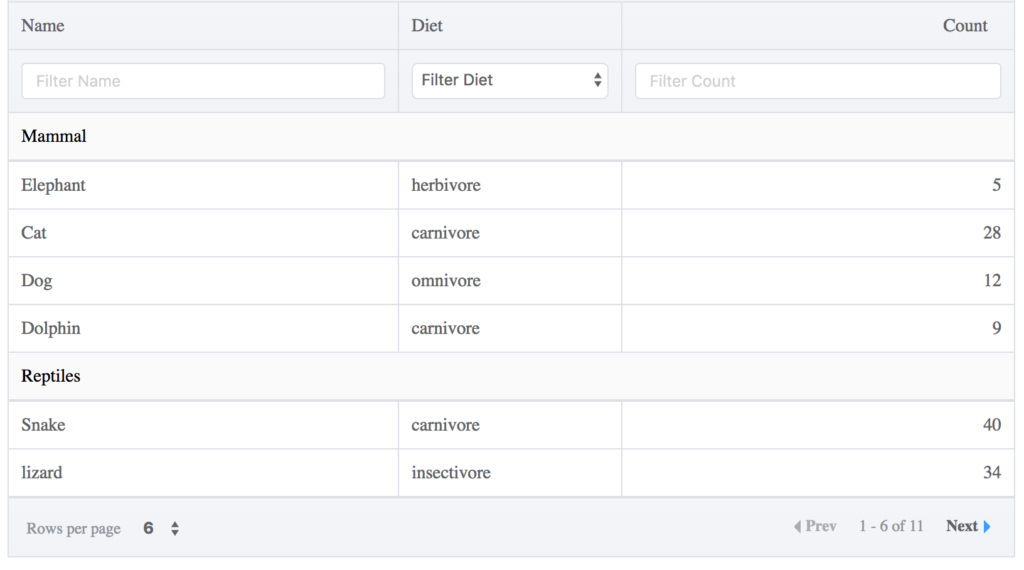
A simple, clean data table for VueJS with essential features like sorting, column filtering, pagination etc.
Features:
- Table Search
- Sorting
- Column Filtering
- Pagination
- Highly Customizable
- Checkbox Table
- Grouped Rows Table
- Server Powered Table
- Customizable Style and Themes
5. Easy Data Table Component For Vue 3
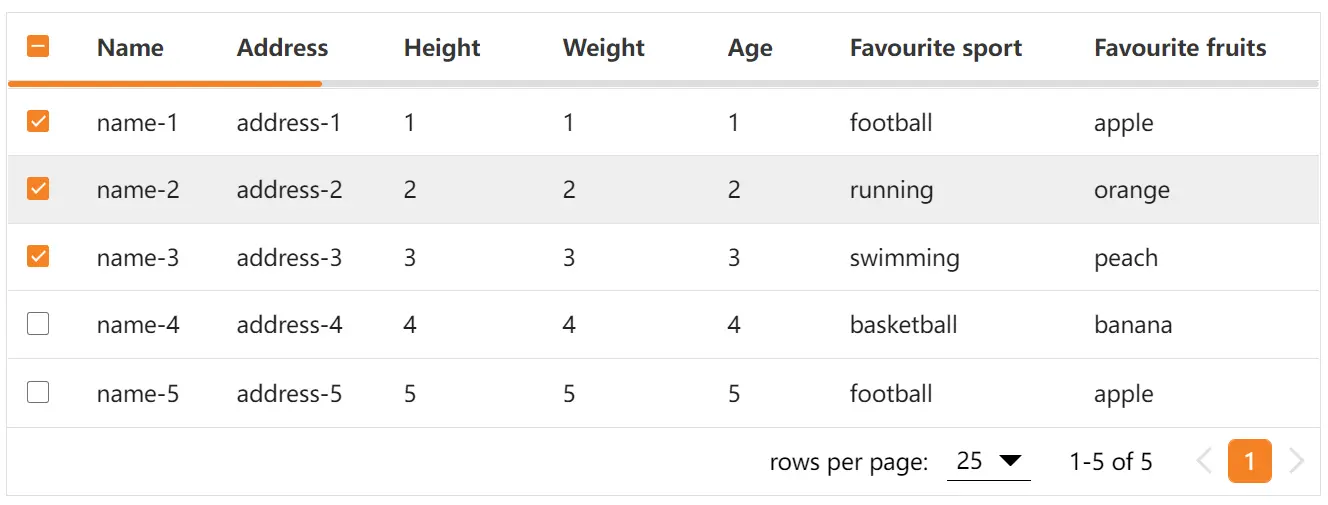
An easy yet full-featured data table/grid component for Vue.js 3 applications.
It supports both fixed and dynamic data sources and has a lot of advanced features, such as live search, row sorting, column filtering, pagination, and more.
Features:
- Item slot
- Buttons pagination
- Multiple selecting
- Pagination slot
- Single field sorting
- Searching
- Server side paginate and sort
- Loading slot
- Footer customization
- Filtering
- Click row
- Column width
- Fixed columns
- Header slot
- Expand slot
- Style customization
- Border cell
- Class name customization
6. Lite Data Table Component For Vue 3
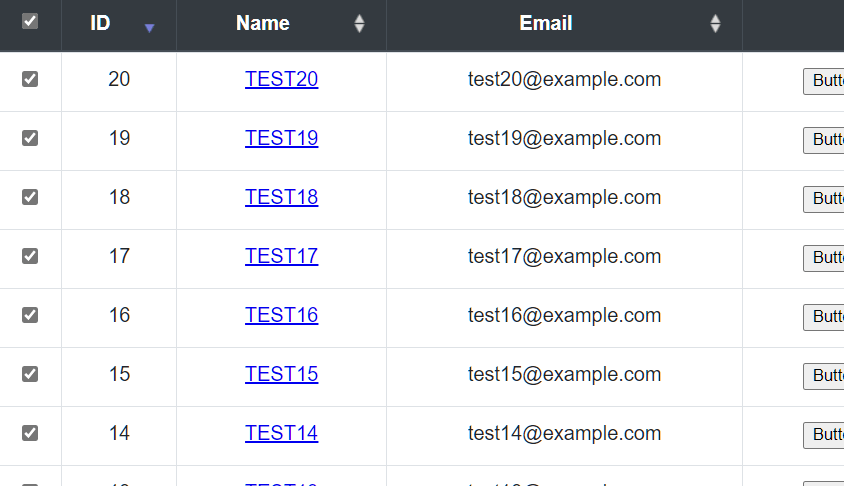
A simple and lightweight data table component for Vue.js 3. Features sorting, paging, row check, dynamic data rendering, and more.
Features:
- Row check event Support
- Custom data display Support
- Pagging Support
- Sorting Support
- Custom message Support
- V-slot Support
- TypeScript Support
- Grouping Support
7. Feature-rich Data Table Library For Vue 3
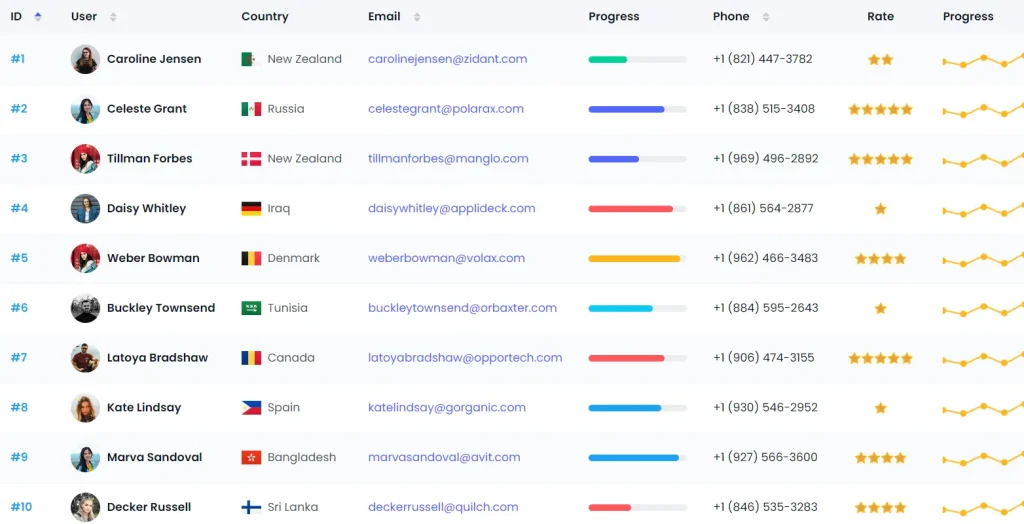
A feature-rich and highly customizable data table component to manage, display, and interact with large datasets in your Vue projects.
Features:
- Pagination
- Filtering
- Sorting
- Server-side rendering
- Sticky table header
- Row selection
- Custom actions
- And much more…
Conclusion:
If you’re looking for more Vue.js components for creating complex data tables/grids on the web app, check out our Data Table section.
See Also:
- 10 Best Data Table/Grid Systems In JavaScript
- 10 Best And Free Data Table Libraries For React Applications