Install & Download:
$ npm install vue-selectDescription:
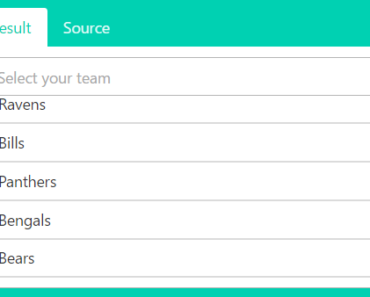
A native Vue.js component that provides similar functionality to Select2 without the overhead of jQuery.
Key Features:
- AJAX Support
- No JS Dependencies
- List Filtering/Searching
- Supports Vuex
- Select Single/Multiple Options
- Bootstrap Friendly Markup
Basic Usage:
1. Import and register the component.
// With NPM or Yarn
import Vue from 'vue';
import vSelect from 'vue-select';
import 'vue-select/dist/vue-select.css';
Vue.component('v-select', vSelect);
<!-- For Browser --> <link rel="stylesheet" href="https://unpkg.com/vue-select@latest/dist/vue-select.css" /> <script src="https://unpkg.com/vue@latest"></script> <script src="https://unpkg.com/vue-select@latest"></script>
2. Add the select component to the app template and define the options in a JS array or object.
<v-select :options="['JavaScript', 'CSS', 'HTML']"></v-select>
<!-- OR -->
<v-select :options="[{label: 'JavaScript', code: 'js'}]"></v-select>
3. Available component props.
/**
 * Contains the currently selected value. Very similar to a
 * `value` attribute on an <input>. You can listen for changes
 * using 'change' event using v-on
 * @type {Object||String||null}
 */
value: {},
/**
 * An object with any custom components that you'd like to overwrite
 * the default implementation of in your app. The keys in this object
 * will be merged with the defaults.
 * @see https://vue-select.org/guide/components.html
 * @type {Function}
 */
components: {
  type: Object,
  default: () => ({}),
},
/**
 * An array of strings or objects to be used as dropdown choices.
 * If you are using an array of objects, vue-select will look for
 * a `label` key (ex. [{label: 'This is Foo', value: 'foo'}]). A
 * custom label key can be set with the `label` prop.
 * @type {Array}
 */
options: {
  type: Array,
  default() {
    return []
  },
},
/**
 * Disable the entire component.
 * @type {Boolean}
 */
disabled: {
  type: Boolean,
  default: false
},
/**
 * Can the user clear the selected property.
 * @type {Boolean}
 */
clearable: {
  type: Boolean,
  default: true
},
/**
 * Can the user deselect an option by clicking it from
 * within the dropdown.
 * @type {Boolean}
 */
deselectFromDropdown: {
  type: Boolean,
  default: false,
},
/**
 * Enable/disable filtering the options.
 * @type {Boolean}
 */
searchable: {
  type: Boolean,
  default: true
},
/**
 * Equivalent to the `multiple` attribute on a `<select>` input.
 * @type {Boolean}
 */
multiple: {
  type: Boolean,
  default: false
},
/**
 * Equivalent to the `placeholder` attribute on an `<input>`.
 * @type {String}
 */
placeholder: {
  type: String,
  default: ''
},
/**
 * Sets a Vue transition property on the `.vs__dropdown-menu`.
 * @type {String}
 */
transition: {
  type: String,
  default: 'vs__fade'
},
/**
 * Enables/disables clearing the search text when an option is selected.
 * @type {Boolean}
 */
clearSearchOnSelect: {
  type: Boolean,
  default: true
},
/**
 * Close a dropdown when an option is chosen. Set to false to keep the dropdown
 * open (useful when combined with multi-select, for example)
 * @type {Boolean}
 */
closeOnSelect: {
  type: Boolean,
  default: true
},
/**
 * Tells vue-select what key to use when generating option
 * labels when each `option` is an object.
 * @type {String}
 */
label: {
  type: String,
  default: 'label'
},
/**
 * Value of the 'autocomplete' field of the input
 * element.
 * @type {String}
 */
autocomplete: {
  type: String,
  default: 'off'
},
/**
 * When working with objects, the reduce
 * prop allows you to transform a given
 * object to only the information you
 * want passed to a v-model binding
 * or @input event.
 */
reduce: {
  type: Function,
  default: option => option,
},
/**
 * Decides whether an option is selectable or not. Not selectable options
 * are displayed but disabled and cannot be selected.
 *
 * @type {Function}
 * @since 3.3.0
 * @param {Object|String} option
 * @return {Boolean}
 */
selectable: {
  type: Function,
  default: option => true,
},
/**
 * Callback to generate the label text. If {option}
 * is an object, returns option[this.label] by default.
 *
 * Label text is used for filtering comparison and
 * displaying. If you only need to adjust the
 * display, you should use the `option` and
 * `selected-option` slots.
 *
 * @type {Function}
 * @param  {Object || String} option
 * @return {String}
 */
getOptionLabel: {
  type: Function,
  default(option) {
    if (typeof option === 'object') {
      if (!option.hasOwnProperty(this.label)) {
        return console.warn(
          `[vue-select warn]: Label key "option.${this.label}" does not` +
          ` exist in options object ${JSON.stringify(option)}.\n` +
          'https://vue-select.org/api/props.html#getoptionlabel'
        )
      }
      return option[this.label]
    }
    return option;
  }
},
/**
 * Generate a unique identifier for each option. If `option`
 * is an object and `option.hasOwnProperty('id')` exists,
 * `option.id` is used by default, otherwise the option
 * will be serialized to JSON.
 *
 * If you are supplying a lot of options, you should
 * provide your own keys, as JSON.stringify can be
 * slow with lots of objects.
 *
 * The result of this function *must* be unique.
 *
 * @type {Function}
 * @param  {Object || String} option
 * @return {String}
 */
getOptionKey: {
  type: Function,
  default (option) {
    if (typeof option !== 'object') {
      return option;
    }
    try {
      return option.hasOwnProperty('id') ? option.id : sortAndStringify(option);
    } catch (e) {
      const warning = `[vue-select warn]: Could not stringify this option ` +
        `to generate unique key. Please provide'getOptionKey' prop ` +
        `to return a unique key for each option.\n` +
        'https://vue-select.org/api/props.html#getoptionkey';
      return console.warn(warning, option, e);
    }
  },
},
/**
 * Select the current value if selectOnTab is enabled
 * @deprecated since 3.3
 */
onTab: {
  type: Function,
  default: function () {
    if (this.selectOnTab && !this.isComposing) {
      this.typeAheadSelect();
    }
  },
},
/**
 * Enable/disable creating options from searchEl.
 * @type {Boolean}
 */
taggable: {
  type: Boolean,
  default: false
},
/**
 * Set the tabindex for the input field.
 * @type {Number}
 */
tabindex: {
  type: Number,
  default: null
},
/**
 * When true, newly created tags will be added to
 * the options list.
 * @type {Boolean}
 */
pushTags: {
  type: Boolean,
  default: false
},
/**
 * When true, existing options will be filtered
 * by the search text. Should not be used in conjunction
 * with taggable.
 * @type {Boolean}
 */
filterable: {
  type: Boolean,
  default: true
},
/**
 * Callback to determine if the provided option should
 * match the current search text. Used to determine
 * if the option should be displayed.
 * @type   {Function}
 * @param  {Object || String} option
 * @param  {String} label
 * @param  {String} search
 * @return {Boolean}
 */
filterBy: {
  type: Function,
  default(option, label, search) {
    return (label || '').toLowerCase().indexOf(search.toLowerCase()) > -1
  }
},
/**
 * Callback to filter results when search text
 * is provided. Default implementation loops
 * each option, and returns the result of
 * this.filterBy.
 * @type   {Function}
 * @param  {Array} list of options
 * @param  {String} search text
 * @param  {Object} vSelect instance
 * @return {Boolean}
 */
filter: {
  type: Function,
  default(options, search) {
    return options.filter((option) => {
      let label = this.getOptionLabel(option)
      if (typeof label === 'number') {
        label = label.toString()
      }
      return this.filterBy(option, label, search)
    });
  }
},
/**
 * User defined function for adding Options
 * @type {Function}
 */
createOption: {
  type: Function,
  default (option) {
    return (typeof this.optionList[0] === 'object') ? {[this.label]: option} : option;
  },
},
/**
 * When false, updating the options will not reset the selected value. Accepts
 * a `boolean` or `function` that returns a `boolean`. If defined as a function,
 * it will receive the params listed below.
 *
 * @since 3.4 - Type changed to {Boolean|Function}
 *
 * @type {Boolean|Function}
 * @param {Array} newOptions
 * @param {Array} oldOptions
 * @param {Array} selectedValue
 */
resetOnOptionsChange: {
  default: false,
  validator: (value) => ['function', 'boolean'].includes(typeof value)
},
/**
 * If search text should clear on blur
 * @return {Boolean} True when single and clearSearchOnSelect
 */
clearSearchOnBlur: {
  type: Function,
  default: function ({ clearSearchOnSelect, multiple }) {
    return clearSearchOnSelect && !multiple
  }
},
/**
 * Disable the dropdown entirely.
 * @type {Boolean}
 */
noDrop: {
  type: Boolean,
  default: false
},
/**
 * Sets the id of the input element.
 * @type {String}
 * @default {null}
 */
inputId: {
  type: String
},
/**
 * Sets RTL support. Accepts 'ltr', 'rtl', 'auto'.
 * @see https://developer.mozilla.org/en-US/docs/Web/HTML/Global_attributes/dir
 * @type {String}
 * @default 'auto'
 */
dir: {
  type: String,
  default: 'auto'
},
/**
 * When true, hitting the 'tab' key will select the current select value
 * @type {Boolean}
 * @deprecated since 3.3 - use selectOnKeyCodes instead
 */
selectOnTab: {
  type: Boolean,
  default: false
},
/**
 * Keycodes that will select the current option.
 * @type Array
 */
selectOnKeyCodes: {
  type: Array,
  default: () => [13],
},
/**
 * Query Selector used to find the search input
 * when the 'search' scoped slot is used.
 *
 * Must be a valid CSS selector string.
 *
 * @see https://developer.mozilla.org/en-US/docs/Web/API/Document/querySelector
 * @type {String}
 */
searchInputQuerySelector: {
  type: String,
  default: '[type=search]'
},
/**
 * Used to modify the default keydown events map
 * for the search input. Can be used to implement
 * custom behaviour for key presses.
 */
mapKeydown: {
  type: Function,
  /**
   * @param map {Object}
   * @param vm {VueSelect}
   * @return {Object}
   */
  default: (map, vm) => map,
},
/**
 * Append the dropdown element to the end of the body
 * and size/position it dynamically. Use it if you have
 * overflow or z-index issues.
 * @type {Boolean}
 */
appendToBody: {
  type: Boolean,
  default: false
},
/**
 * When `appendToBody` is true, this function is responsible for
 * positioning the drop down list.
 *
 * If a function is returned from `calculatePosition`, it will
 * be called when the drop down list is removed from the DOM.
 * This allows for any garbage collection you may need to do.
 *
 * @since v3.7.0
 * @see http://vue-select.org/guide/positioning.html
 */
calculatePosition: {
  type: Function,
  /**
   * @param dropdownList {HTMLUListElement}
   * @param component {Vue} current instance of vue select
   * @param width {string} calculated width in pixels of the dropdown menu
   * @param top {string} absolute position top value in pixels relative to the document
   * @param left {string} absolute position left value in pixels relative to the document
   * @return {function|void}
   */
  default(dropdownList, component, {width, top, left}) {
    dropdownList.style.top = top;
    dropdownList.style.left = left;
    dropdownList.style.width = width;
  }
},
/**
 * Determines whether the dropdown should be open.
 * Receives the component instance as the only argument.
 *
 * @since v3.12.0
 * @return boolean
 */
dropdownShouldOpen: {
  type: Function,
  default({noDrop, open, mutableLoading}) {
    return noDrop ? false : open && !mutableLoading;
  }
}
/**
 * A unique identifier used to generate IDs in HTML.
 * Must be unique for every instance of the component.
 */
uid: {
  type: [String, Number],
  default: () => uniqueId(),
},
4. Events.
// Triggered when the selected value changes. Used internally for v-model.
this.$emit("input", val);
// Triggered when the dropdown is open.
this.$emit("open");
// Triggered when the dropdown is closed.
this.$emit("close");
// Triggered after an option has been selected, before updating internal state.
this.$emit("option:selecting", selectedOption);
// Triggered when an option has been selected, after updating internal state.
this.$emit("option:selected", selectedOption);
// Triggered when an option has been deselected, before updating internal state.
this.$emit("option:deselecting", selectedOption);
// Triggered when an option has been deselected, after updating internal state.
this.$emit("option:deselected", deselectedOption);
// Triggered when taggable is true and a new option has been created.
// @param {Object} newOption - created option
this.$emit("option:created", newOption);
// Anytime the search string changes, emit the 'search' event. The event is passed with two parameters: the search string, and a function that accepts a boolean parameter to toggle the loading state.
this.$emit('search', this.search, this.toggleLoading);
// Triggered when the text input loses focus. The dropdown will close immediately before this event is triggered.
this.$emit("search:blur");
// Triggered when the text input gains focus. The dropdown will open immediately before this event is triggered.
this.$emit("search:focus");
Preview:

Changelog:
v3.20.3 (04/03/2024)
- bugfixes
v3.20.2 (12/17/2022)
- use keypress event for space
v3.20.1 (12/16/2022)
- fix: Keep focus on input after select to improve accessibility
v3.20.0 (07/17/2022)
- add input-background css variable
v3.19.0 (07/16/2022)
- feat(taggable): retain input focus after adding a tag in noDrop
v3.18.3 (02/19/2022)
- Bug Fixes
v3.18.2 (02/18/2022)
- allow selecting boolean values
v3.18.1 (02/17/2022)
- allow typeAheadSelect only when option is selectable
v3.18.0 (02/17/2022)
- deprecate sass, convert to css
v3.17.0 (02/17/2022)
- set pointer to most recent selected option on open
v3.16.0 (10/20/2021)
- add $vs-component-bg to sass variables
v3.15.1 (10/18/2021)
- vs__selected position set to absolute while loading with empty search value
v3.15.0 (10/17/2021)
- move uid to prop
v3.14.0 (10/16/2021)
- add deselectFromDropdown boolean prop
v3.13.3 (10/16/2021)
- always set cursor CSS property, not just on hover
v3.13.2 (10/07/2021)
- bugfix: autoscroll should scroll to item when opening dropdown
v3.13.0 (08/27/2021)
- add vs–multiple state class for multiselects
v3.12.2 (08/24/2021)
- use click instead of mousedown event, fixes iOS bug
v3.12.2 (07/30/2021)
- set !default for $vs-controls-deselect-text-shadow
v3.12.1 (07/22/2021)
- Bug Fixes
v3.11.2 (12/20/2020)
- Don’t attempt to blur/focus search element if it doesn’t exist
v3.11.1 (12/19/2020)
- Bug Fixes
v3.10.8 (08/11/2020)
- search-slot: use computed property as reference to search el
v3.10.7 (07/09/2020)
- transitions: add key to dropdown ul
v3.10.5 (06/25/2020)
- IE11: make appendToBody directive IE11 friendly