Install & Download:
# Yarn
$ yarn add vue-simple-alert
# NPM
$ npm install vue-simple-alert --save
Description:
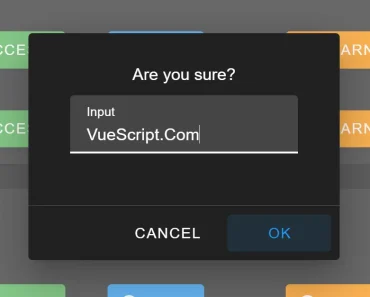
The Simple Alert component helps developers create beautiful, flexible, customizable, responsive alert/confirm/prompt dialog boxes based on the popular SweetAlert 2 library.
How to use it:
1. Install and import the Simple Alert module.
import Vue from "vue"
import VueSimpleAlert from "vue-simple-alert";
2. Register the component.
Vue.use(VueSimpleAlert);
3. Create an alert dialog and return a promise which will be resolved when the OK button clicked. Possible parameters:
- message: alert message
- title: alert title
- type: ‘success’, ‘error’, ‘warning’, ‘info’, ‘question’
// alert(message, title, type)
this.$alert("Alert Message.");
4. Create a confirm dialog and return a promise which will be resolved when the OK button clicked. Possible parameters:
- message: confirm message
- title: confirm title
- type: ‘success’, ‘error’, ‘warning’, ‘info’, ‘question’
- reverseButton: set to true if you want to invert default buttons positions
// confirm(message, title, type, reverseButton)
this.$confirm("Are you sure?").then(() => {
  //do something...
});
5. Create a prompt dialog and return a promise which will be resolved when the OK button clicked. Possible parameters:
- message: confirm message
- defaultText: placeholder text
- title: confirm title
- type: ‘success’, ‘error’, ‘warning’, ‘info’, ‘question’
- reverseButton: set to true if you want to invert default buttons positions
// prompt(message, defaultText, title, type, reverseButton)
this.$prompt("Input your name").then((text) => {
  // do somthing with text
});
6. You can also create a custom dialog box using the $fire method just like the SweetAlert2 fire function.
this.$fire({
  type: 'error',
  title: 'Oops...',
  text: 'Something went wrong!',
  footer: '<a href>Why do I have this issue?</a>'
}).then(r => {
 console.log(r.value);
});
Previews:

Vue Simple Alert Dialog

Vue Simple Confirm Dialog

Vue Simple Prompt Dialog