Install & Download:
npm install vue-scroll-picker --saveDescription:
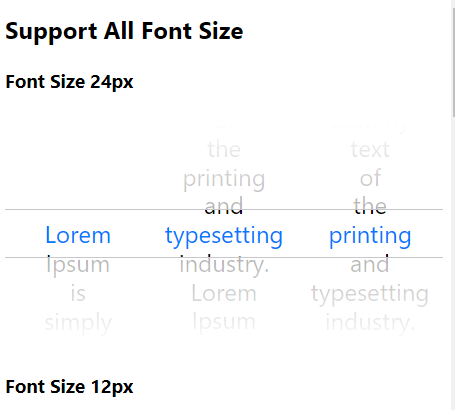
An iOS style scroll picker component for Vue 3, which aims to replace the default scrolling text picker(select). Supports both mouse and touch events.
How to use it:
1. Import and register the component.
// Global
import { createApp } from 'vue'
import VueScrollPicker from 'vue-scroll-picker'
import 'vue-scroll-picker/lib/style.css'
const app = createApp()
app.use(VueScrollPicker)
// Local
import { VueScrollPicker } from 'vue-scroll-picker'
export default {
components: {
VueScrollPicker,
},
}2. Add the VueScrollPicker component to the app and define your options.
<template>
  <VueScrollPicker :options="options" />
</template>
3. Available props.
options: {
  type: Array as PropType<ScrollPickerOptionable[]>,
  default: () => [],
},
dragSensitivity: {
  type: Number,
  default: 1.7,
},
touchSensitivity: {
  type: Number,
  default: 1.7,
},
scrollSensitivity: {
  type: Number,
  default: 1,
},
empty: {
  type: String,
  default: 'No Items',
},
placeholder: {
  type: String,
  default: null,
},
Preview:
Changelog:
v1.2.2 (04/11/2024)
- bugfix
v1.2.1 (04/09/2024)
- bugfix
v1.1.4 (03/14/2024)
- bugfix
v1.1.3 (02/05/2024)
- bugfix
v1.1.3 (02/28/2023)
- bugfix
v1.1.2 (10/14/2022)
- fix: duplicate wheel event handler
v1.1.1 (03/26/2022)
- fix: mousedown
v1.1.0 (06/02/2021)
- feat: add resize
v1.0.1 (03/04/2021)
- fix: support window mouse wheel deltaY
v0.6.1 (03/03/2021)
- refactor: support vue3
v0.6.1 (05/20/2020)
- Reduce height – only show one faded item above and below


