Install & Download:
# Yarn
$ yarn add simple-m-editor
# NPM
$ npm i simple-m-editor --save
Description:
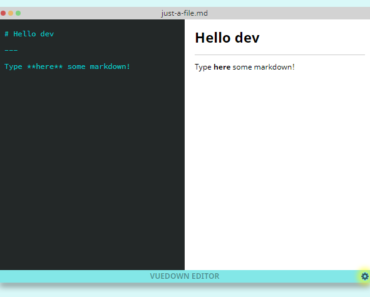
A simple customizable markdown editor built with Vue.
Features:
- Editor, Live, Preview modes.
- Dark and Light themes.
- Fullscreen editor.
- Line numbers.
- Auto scroll.
How to use it:
1. Import the simple markdown editor.
import mEditor from 'simple-m-editor'
import 'simple-m-editor/dist/simple-m-editor.css'
2. Add the editor to the template.
<template>
<div>
  <m-editor
    v-model="text"
    @on-change="handleChange"
  />
  <div class="m-editor-preview" v-html="markdownContent"></div>
</div>
</template>
export default {
component: {
mEditor
},
data () {
return {
text: '',
markdownContent: ''
}
},
methods: {
handleChange(data) {
this.markdownContent = data.htmlContent
}
}
}3. Default editor’s props.
value: {
  type: String,
  default: ''
},
mode: {
  default: 'live',
  type: String,
  validator: (value) => {
    return ['live', 'preview', 'edit'].indexOf(value) !== -1
  }
},
placeholder: {
  default: '',
  type: String
},
fullScreen: {
  default: false,
  type: Boolean
},
showLineNum: {
  default: true,
  type: Boolean
},
autoScroll: {
  default: true,
  type: Boolean
},
theme: {
  default: 'light',
  type: String,
  validator: (value) => {
    return ['light', 'dark'].indexOf(value) !== -1
  }
},
debounce: {
  type: Boolean,
  default: false
},
debounceWait: {
  type: Number,
  default: 200
}
4. Events.
- @on-change: triggered when editor is changed Object: { content, htmlContent }
- @on-mode-change: triggered when editor’s mode is change mode, one of [‘live’, ‘edit’, ‘preview’];
- @on-full-screen-change: triggered when editor’s fullscreen changes
Preview:

Changelog:
01/29/2023
- Update