Install & Download:
# NPM
$ npm i quasar-tiptap --save
Description:
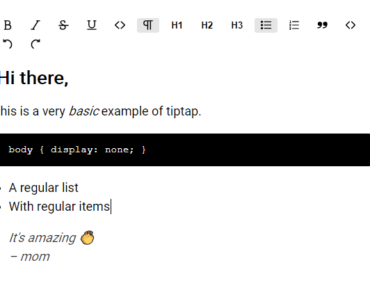
A modern WYSIWYG rich text editor for Vue.js applications, built on top of tiptap and Quasar Framework.
How to use it:
1. Import necessary resources into your project.
// core
import { QuasarTiptap } from 'src/index'
// optional extensions
import { Placeholder } from 'tiptap-extensions'
import { RecommendedExtensions } from 'src/extentions'
// default data
import { BasicFeaturesArticle, BasicFeaturesArticleJson } from 'src/data/article'
// local
import { DEFAULT_LOCALE } from 'src/i18n'
2. Add the WYSIWYG Rich Text Editor to your app.
<quasar-tiptap ref="editor" v-bind="options" @update="onUpdate" />
3. Enable the WYSIWYG Rich Text Editor.
export default {
  name: 'page-quasar-tiptap-basic',
  data () {
    return {
      options: {
        content: BasicFeaturesArticle,
        editable: true,
        showToolbar: true,
        showBubble: true,
        extensions: [
          // TipTap
          'Bold',
          'Italic',
          'Strike',
          'Underline',
          'Code',
          'CodeBlock',
          'CodeBlockHighlight',
          'BulletList',
          'OrderedList',
          'ListItem',
          'TodoList',
          'HorizontalRule',
          'Table',
          'Link',
          // QuasarTipTap
          // 'OTitle',
          // 'ODoc',
          'OParagraph',
          'OBlockquote',
          'OTodoItem',
          'OHeading',
          'OAlignment',
          'OIndent',
          'OLineHeight',
          'OForeColor',
          'OBackColor',
          'OFontFamily',
          'OIframe',
          'ODiagram',
          'OKatexBlock',
          'OKatexInline',
          'OFormatClear',
          'OPrint',
          'OImage',
          'OEmbed',
          new Placeholder({
            showOnlyCurrent: false,
            emptyNodeText: node => {
              if (node.type.name === 'title') {
                return 'Title'
              }
              return 'Content'
            }
          }),
        ],
        toolbar: [ // 1.name 2.object 3.component
          {
            name: 'add-more', // use object with options
            type: 'menu',
            options: {
              embed: {
                video: ['youtube', 'bilibili', 'youku'],
                map: ['google_map', 'amap', 'baidu_map'],
                design: ['modao', 'lanhu', 'figma', 'canva', 'processon'],
                develop: ['codepen'],
                data: ['google_forms', 'jinshuju'],
                others: ['iframe']
              }
            }
          },
          'separator',
          'bold',
          'italic',
          {
            name: 'text-format-dropdown',
            type: 'menu',
            options: {
              list: [
                'underline',
                'strike',
                'code',
              ]
            }
          },
          'separator',
          'heading',
          'font-family',
          'fore-color',
          'back-color',
          'format_clear',
          'separator',
          'align-dropdown',
          'indent-dropdown',
          'line-height',
          'separator',
          'horizontal',
          'list-dropdown',
          'separator',
          'blockquote',
          'code_block',
          // 'link',
          OLinkBtn, // use custom component
          'photo',
          'table',
          'separator',
          'print',
        ],
        bubble: [
          'bold',
          'italic',
          'separator',
          'font-family',
          'fore-color',
          'back-color',
          'separator',
          'link',
          'separator',
          'align-group',
        ]
      },
      json: '',
      html: ''
    }
  },
  components: {
    QuasarTiptap,
    OLinkBtn
  },
  methods: {
    onUpdate ({ state, getJSON, getHTML }) {
      this.json = getJSON()
      this.html = getHTML()
      console.log('html', this.html)
      // console.log('json', JSON.stringify(this.json))
    }
  },
  mounted () {
    this.$o.lang.set(DEFAULT_LOCALE)
    // console.log('editor', this.$refs.editor.editor)
  },
  deactivated () {
  },
  beforeDestroy () {
  }
}
Preview:

Changelog:
v1.9.1 (01/16/2021)
- Bug Fixes
v1.9.0 (01/16/2021)
- editor: Link menu bubble. Open, edit and disable link.
v1.8.0 (01/16/2021)
- toolbar: tableToolbar as property
v1.7.0 (10/06/2020)
- editor: Restrict selected cell count in this editor instance
- service: Add settings for Youbube, such as autoplay
v1.6.1 (09/19/2020)
- Bug Fixes
v1.5.1 (08/22/2020)
- Bugfix