Install & Download:
# Yarn
$ yarn add vue3-select-component
# NPM
$ npm install vue3-select-component
Description:
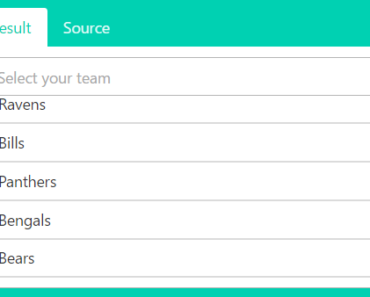
A simple, flexible, customizable, and modern single/multiple select component for Vue 3 applications.
How to use it:
1. Import the VueSelect component after installation.
<script setup lang="ts">
  import { ref } from "vue";
  import VueSelect from "vue3-select-component";
  import "vue3-select-component/dist/style.css";
const option = ref("");
</script>
2. Add the VueSelect component to your Vue 3 application and define your own options for the select.
<template>
  <div>
    <VueSelect
      v-model="option"
      :options="[
        { label: 'Option 1', value: '1' },
        { label: 'Option 2', value: '2' },
        { label: 'Option 3', value: '3' },
        // more options here
      ]"
    />
  </div>
</template>
3. Available component props to customize the select box.
options: Option[];
/**
 * When set to true, automatically scroll the menu to keep the focused option in view.
 */
autoscroll?: boolean;
/**
 * The placeholder text to display when no option is selected.
 */
placeholder?: string;
/**
 * When set to true, the input can be cleared by clicking the clear button.
 */
isClearable?: boolean;
/**
 * When set to true, disable the select component.
 */
isDisabled?: boolean;
/**
 * When set to true, allow the user to filter the options by typing in the search input.
 */
isSearchable?: boolean;
/**
 * When set to true, allow the user to select multiple options. This will change the
 * `selected` model to an array of strings. You should pass an array of strings to the
 * `v-model` directive when using this prop.
 */
isMulti?: boolean;
/**
 * When set to true, clear the search input when an option is selected.
 */
closeOnSelect?: boolean;
/**
 * Teleport the menu to another part of the DOM with higher priority such as `body`.
 * This way, you can avoid z-index issues. Menu position will be calculated using
 * JavaScript, instead of using CSS absolute & relative positioning.
 */
teleport?: string;
/**
 * The ID of the input element. This is useful for accessibility or forms.
 */
inputId?: string;
/**
 * ARIA attributes to describe the select component. This is useful for accessibility.
 */
aria?: {
  labelledby?: string;
  required?: boolean;
};
/**
 * Callback to filter the options based on the search input. By default, it filters
 * the options based on the `label` property of the option. The label is retrieved using:
 *
 * - `getOptionLabel` when `isMulti` is `false`.
 * - `getMultiValueLabel` when `isMulti` is `true`.
 *
 * @param option The option to filter.
 * @param label The label of the option.
 * @param search The search input value.
 */
filterBy?: (option: Option, label: string, search: string) => boolean;
/**
 * A function to get the label of an option. By default, it assumes the option is an
 * object with a `label` property. Used to display the selected option in the input &
 * inside the options menu.
 *
 * @param option The option to render.
 */
getOptionLabel?: (option: Option) => string;
/**
 * A function to get the label of a multi-value option. By default, it assumes the
 * option is an object with a `label` property. Used only in the multi-value tag.
 *
 * @param option The option to render.
 */
getMultiValueLabel?: (option: Option) => string;
Preview:

Changelog:
v0.2.1 (04/13/2024)
- Bugfixes
v0.2.0 (04/13/2024)
- Bugfixes
- Add Vue generic types for option value & v-model
v0.1.3 (03/11/2024)
- Bugfixes
v0.1.2 (03/05/2024)
- Select: Add –vs-input-placeholder-color CSS variable
v0.1.1 (03/01/2024)
- Add filter-by prop
- Add inputId prop
v0.1.0 (02/28/2024)
- Update website