Install & Download:
# Yarn
$ yarn add vue-dialog-loading
# NPM
$ npm install vue-dialog-loading --save
Description:
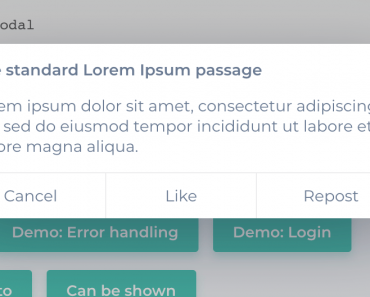
A feature-rich component to create minimal clean dialog box, loading screen, and image lightbox on the app.
How to use it:
1. Import the component.
import Dialog from 'vue-dialog-loading';
2. Register the component and pass global settings:
Vue.use(Dialog, {
  // global settings here
})
3. Create an alert or confirmation dialog.
// create a new dialog
this.$dialog({
  // dialog title
  title: 'Dialog Title',
  // dialog content
  content: 'Dialog Content',

  // background color
  background:'rgba(0,0,0, 0.5)',
  // auto-dismiss after 3s
  delay: 3000,
  // custom buttons
  btns: [{
    label: 'OK',
    color: '#09f',
  },
  {
    label: 'Cancel',
    color: '#444',
    ghost: true,
    callback: () => {
      // do something
    },
  }],
});
4. Create a loading screen.
this.$loading.show({
  delay: 500,
  background: '#444'
});
// Loading Component:
<LoadingCom />
// hide
this.$loading.hide();
5. Create an image lightbox.
this.$ImagePreview.show(imgUrl);
Previews: