Install & Download:
# Yarn
$ yarn add @mycure/vue-wysiwyg
# NPM
$ npm install @mycure/vue-wysiwyg --save
Description:
A simple clean WYSIWYG editor component for comments, CMS, Blog, etc.
How to use it:
1. Import the component after installed.
import VueWysiwyg from '@mycure/wysiwyg';
2. Create a WYSIWYG editor component in your template.
<template>
  <div>
    <mc-wysiwyg v-model="html"></mc-wysiwyg>
  </div>
</template>
export default {
components: {
McWysiwyg
},
data () {
return {
html: ''
}
}
}3. Hide editor buttons using the hide prop. All possible buttons:
- bold
- italic
- underline
- strikethrough
- heading
- alignLeft
- alignCenter
- alignRight
- ol
- ul
- url
- table
- indent
- outdent
<template>
  <div>
    <mc-wysiwyg v-model="html" :hide="hide"></mc-wysiwyg>
  </div>
</template>
export default {
components: {
McWysiwyg
},
data () {
return {
html: '',
hide: {
// editor buttons here
}
}
}
}Preview:
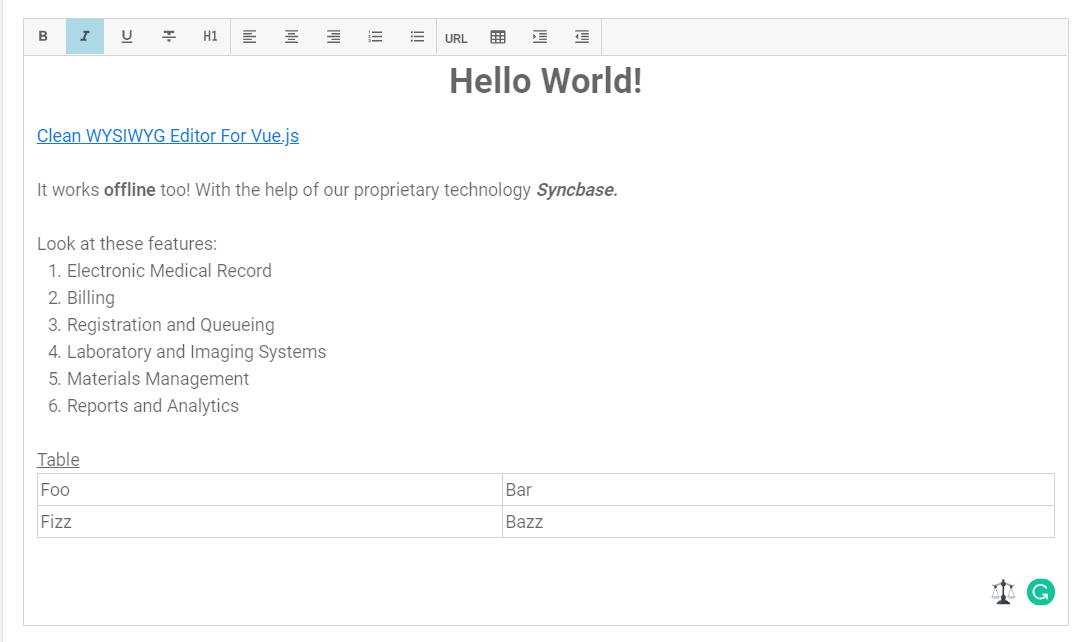
Changelog:
v1.3.0 (01/15/2020)
- Update